Check Out Our Member Stories

Supporting small businesses nationwide

Read More
Learn More About Our Focus Areas

Making an impact through commercial loan opportunities

Learn More
Get to Know Self-Help

Explore why we do what we do

Learn More
Read Our Annual Report

See the numbers of how we supported our communities

Learn More
Connect with Our Team

Invest in the Self-Help mission and support local communities

Reach Out
Check Out Our Member Stories

Supporting small businesses nationwide

Read More
Read Our Annual Report

See the numbers of how we supported our communities

Learn More
Invest in What We Do

Connect with our team to see how you can be a part of the mission

Reach Out

Digital Experience Upgrades

Self-Help Federal Credit Union members:
You're in the right place.

Coming December 8

Upgraded Mobile App and Online Banking

On December 8, we're upgrading the Self-Help Federal Credit Union mobile app and online banking platform to bring you new money management tools and enhanced security features. See below for important information.

What's staying the same

  • Your member number
  • Self-Help Federal Credit Union's routing number
  • Debit and credit cards
  • Direct deposits
  • Bill Pay
  • Scheduled payments

What's changing

  • You'll download a new Self-Help Federal Credit Union mobile app.
  • You'll need to re-enroll.
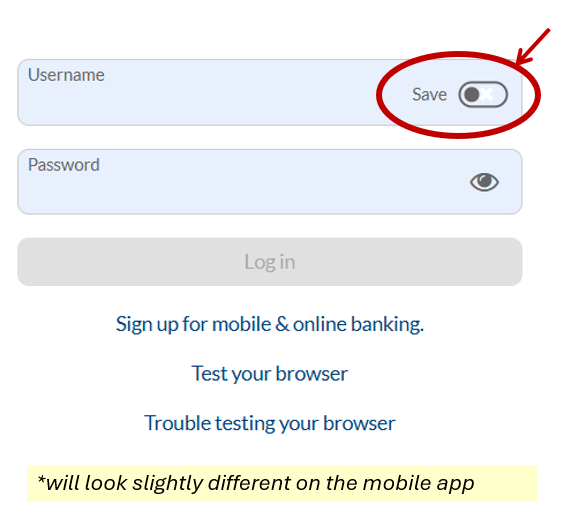
  • You'll be prompted to change your username and password. Be sure to remember your new username. Your username and password are both case-sensitive.
  • You'll see enhanced security features, expanded self-serve options, more customizable alerts, and more.

Expected downtime: We expect some downtime for mobile and online banking on December 8. We'll update this page as we learn more.

How to Prepare

After the upgrade on December 8, you'll need to re-enroll in mobile and online banking. Take four quick actions today to make sure you're ready!

  1. Make sure you know your current username and password. You'll need them for the first step in the re-enrollment process.
  2. Log in and confirm your contact information. You'll need an accurate and up-to-date mobile phone number on file with us when you re-enroll.
  3. Make a note of your current alert settings, automated transfers, and scheduled payments. We recommend you review these after you re-enroll to confirm everything is correct.
  4. Prepare for downtime. If mobile or online banking is unavailable, you can still use these service options:

How to Re-Enroll

Are you a current mobile or online banking user? Starting December 8, you'll need to re-enroll to access your account online or through the mobile app. You only need to go through the re-enrollment process once.

Not currently a mobile or online banking user? See how to sign up as a new user in our FAQ.

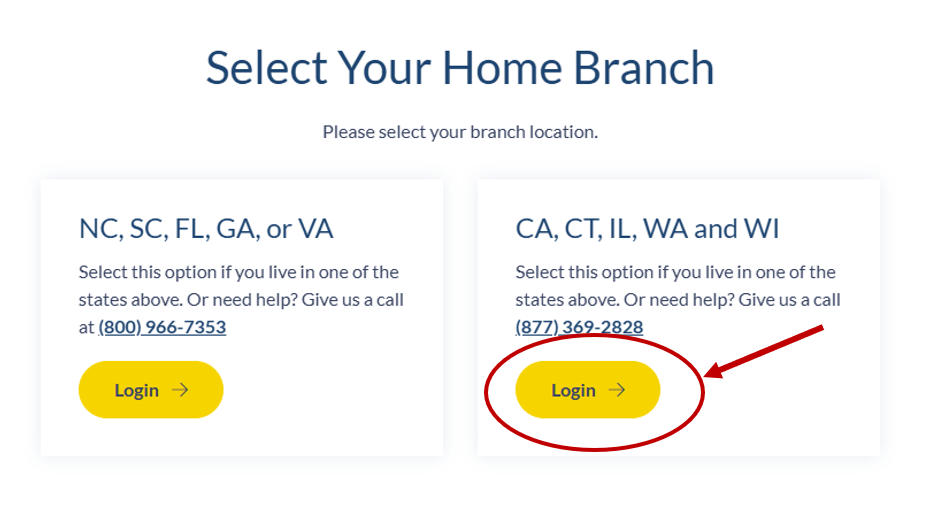
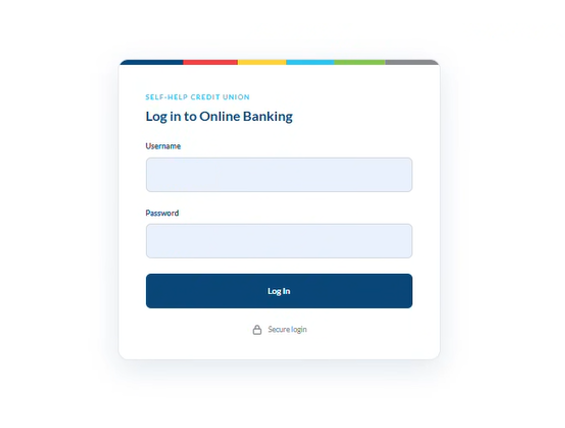
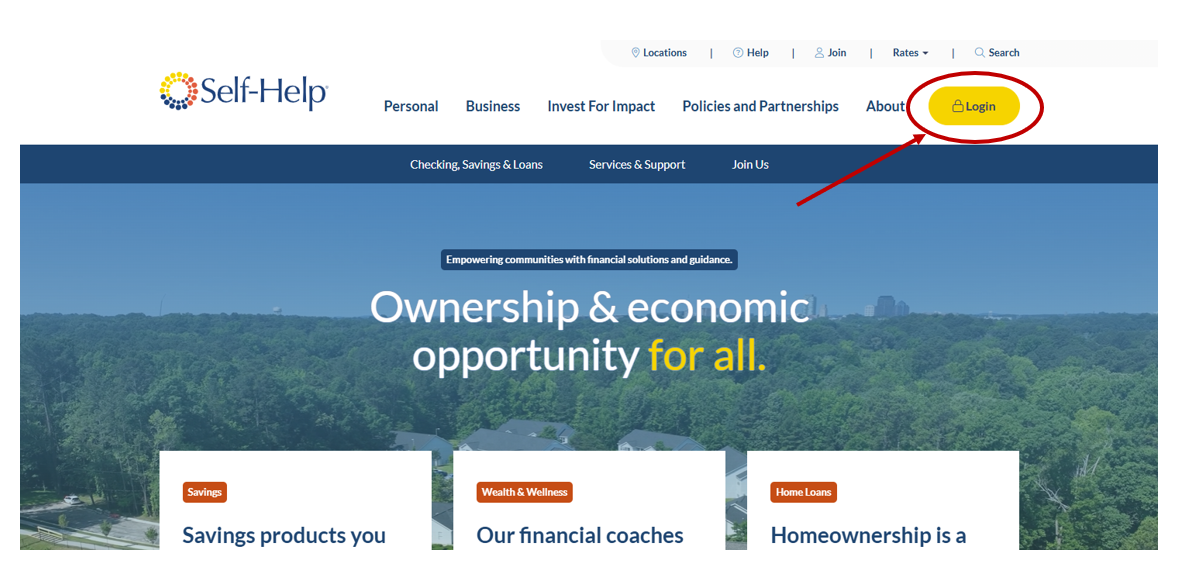
  1. For mobile: You'll need to download the new app. Links will be updated a few days before launch. For online banking: Select the Login button on the right side of the login location window on the Self-Help website (under CA, CT, IL, WA and WI).
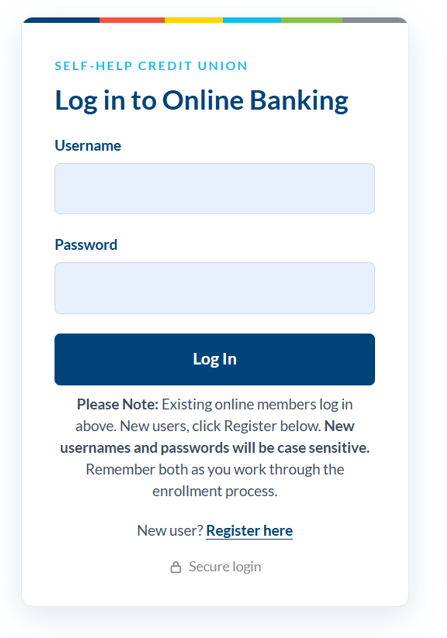
  2. Enter your current username and password.
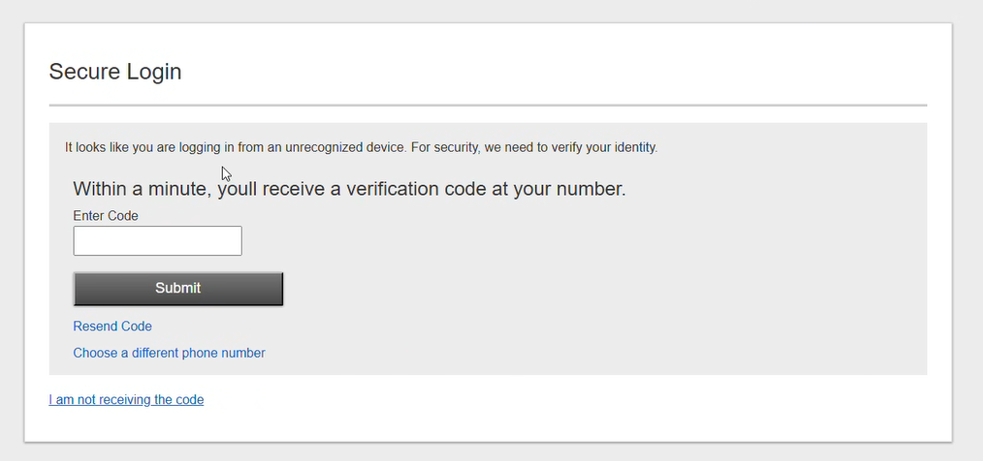
  3. Select "Text me" to receive a one-time verification code to your mobile phone. Enter the code, or if you are using the app, reply to the verification text with the code.
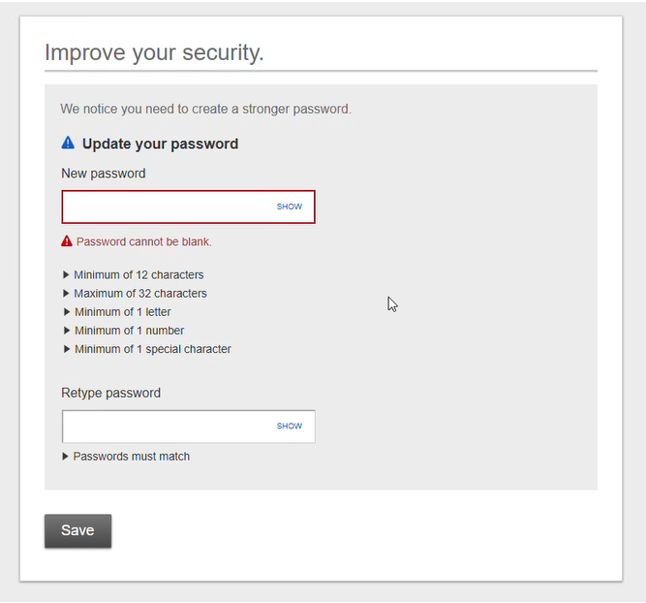
  4. Create a new username and password (see username and password requirements).
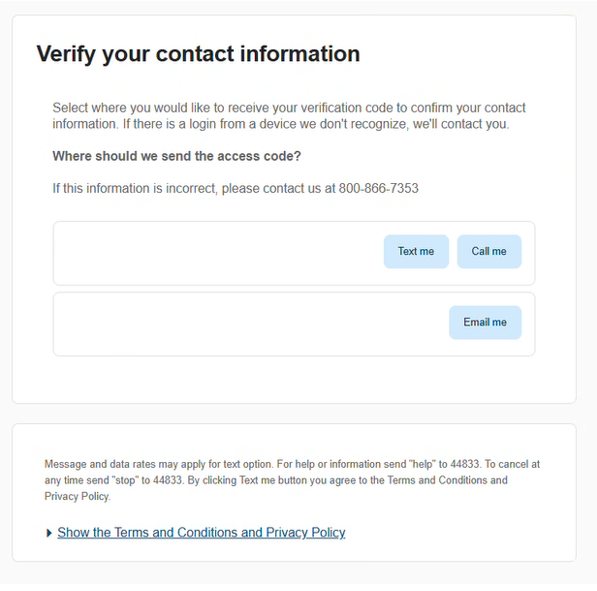
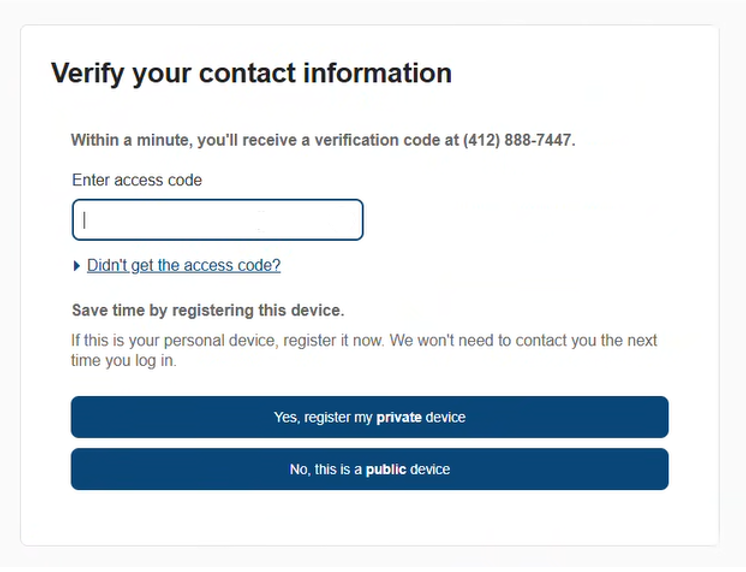
  5. Select either "Text me" or "Call me" to receive a second verification code. Follow the instructions.

Username and Password Requirements

Username

  • Must be 6 to 12 characters
  • Must include letters
  • Optional: Can include numbers
  • Optional: Can include allowed special characters: @ $ * _ - = ! ~
  • Cannot be all numbers
  • Cannot contain spaces

Password

  • Must be 12 to 32 characters
  • Must include upper and lowercase letters
  • Must include at least one number
  • Must include at least one allowed special character: @ $ * _ - = . ! ~
  • Cannot contain username
  • Cannot contain spaces

Your username and password are both case-sensitive. You cannot use your member number as your username.

Want to see each screen? View our step-by-step re-enrollment guide.

Step-by-Step: How to Re-Enroll

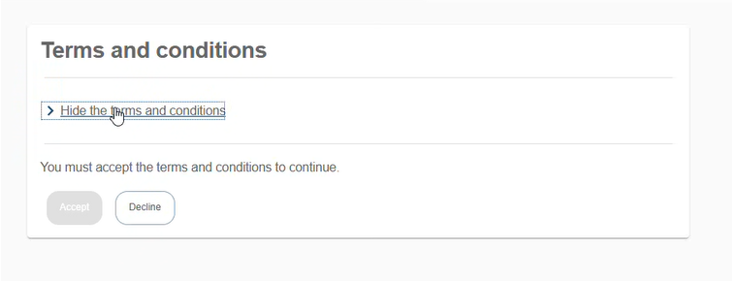
Here's a preview of what re-enrolling will look like when it opens on December 8.

1
Re-enrollment screen, step 1
2
Re-enrollment screen, step 2
3
Re-enrollment screen, step 3
4
Re-enrollment screen, step 4
5
Re-enrollment screen, step 5
6
Re-enrollment screen, step 6
7
Re-enrollment screen, step 7
8
Re-enrollment screen, step 8
9
Re-enrollment screen, step 9
10
Re-enrollment screen, step 10

Have questions or need help? Check out our FAQ or call Member Support at (877) 369-2828.

FAQs

Self-Help currently has multiple websites, including both www.self-helpfcu.org and www.self-help.org.

We are transitioning to a single, unified website under the URL www.self-help.org to better represent who we truly are: a family of nonprofit organizations united by a shared mission of creating and protecting ownership and opportunity for all.

Learn more about our structure and the Self-Help family of organizations: self-helpfcu.org/who-we-are/about-us/our-structure

Yes. You will use your current username and password when logging into your account from the new website.

Self-Help operates two separate credit unions. Self-Help Federal Credit Union is chartered by the National Credit Union Administration (NCUA), with account insurance up to $250,000 provided by NCUA. Self-Help Credit Union is chartered by the state of North Carolina and also has accounts insured up to $250,000 by NCUA.

The two credit unions serve different states: Self-Help Federal Credit Union operates in California, Connecticut, Illinois, South Carolina, Washington and Wisconsin, and Self-Help Credit Union operates in Florida, Georgia, North Carolina and Virginia. Otherwise, the credit unions are virtually identical. We have the same mission and offer the same deposit and loan products at the same rates and terms. In both credit unions, we are committed to investing in our local communities and serving our members.

Find your state below — for most members, the state you live in will tell you which credit union you belong to.

Self-Help Federal Credit Union

  • California
  • Connecticut
  • Illinois
  • South Carolina*
  • Washington
  • Wisconsin

Self-Help Credit Union

  • Florida
  • Georgia
  • North Carolina
  • Virginia

Don't see your state, or otherwise not sure? Give us a call at (877) 369-2828.

*Please note, South Carolina branch members may be directed to Self-Help Credit Union digital experiences and member support. 

Yes, https://www.self-help.org is a secure and legitimate website, owned by Self-Help. We deploy advanced security and fraud prevention technology, so you can always rest assured that your information is safe with us. If you have any concerns or questions, please reach out to us directly to confirm.

Emails from Self-Help will be from an email address with one of two domains: either @self-helpfcu.org or @self-help.org. You might notice our email domain changing with the new website; that's still us! We'll be sending messaging from the self-help.org domain, but you might still hear from your local branch staff from a self-helpfcu.org domain. (Examples: [email protected], [email protected] and [email protected])

Emails from Self-Help will never ask for your username, password, or account information. If you're unsure about any communication claiming to be from Self-Help, call our Member Support team directly at (877) 369-2828 to verify.

What to look forward to:

  • New money management tools
  • Enhanced fraud monitoring and alerts
  • Financial wellness tools for budgeting, saving and setting goals

You will definitely need to re-enroll, but since all SMB accounts tend to be a little different, it's best if you contact Member Support ahead of time to understand what the process will be after we launch. The team will walk you through the process to ensure easy access moving forward. 

Great question, all limited representative accounts are a little different, so we're asking folks that have multiple account stakeholders to contact Member Support - preferably ahead of the launch - to walk through the process so all of your accessors can gain access appropriately. We appreciate you taking this extra step to ensure the best quality service moving forward.